
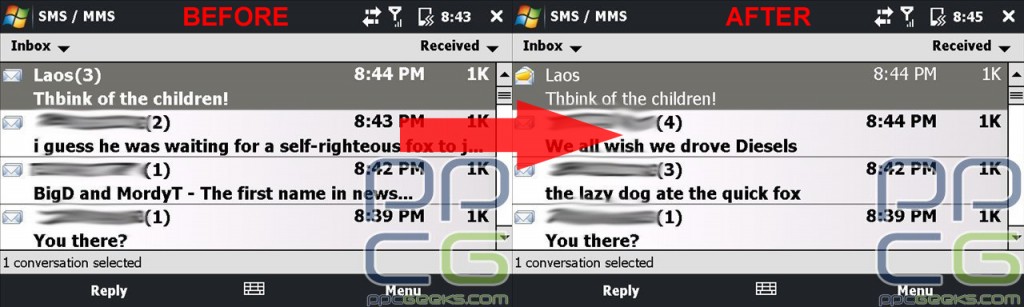
If you are the owner of a Touch Pro2 and text fairly regularly, you may have encountered a phenomenon I like to call “Phantom Text Messages”. I have found a way to temporarily squash this bug until a ROM update can fix this annoying issue.
Read on to find out how!
The issue at hand occurs when you are in the threaded text messaging view (not the new TF3D version, but the older, stock WM 6.1 version) and you receive 2 or 3 new text messages.
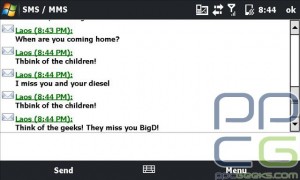
Then, after reading and replying to the messages, you leave your threaded text message conversation and go to the window where it shows all the threaded text messages for every person.
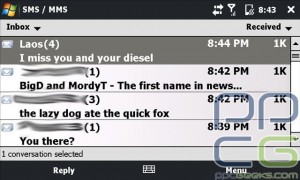
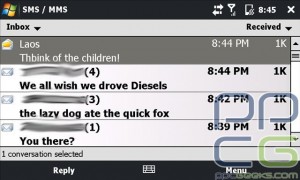
The so-called “Phantom Text Messages” occur when the conversation you were just in still shows (1) or more new text messages. For most users, this makes no sense because you were in that threaded chat and thus read the new text messages.
I found a way where you can make that go away. This will only work if you are in landscape mode and have the keyboard slid out. It does not matter if you have the screen tilted up or not.
Now when your phone is in this position you can use the arrow keypad on the keyboard to scroll up and see previous messages in the threaded chat.
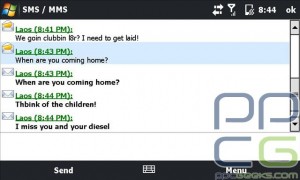
Well, if you scroll up and highlight the text messages (they turn a shade of blue in Sprint TF3D when highlighted) and then scroll back down to the part where you type in return messages, it will not indicate that you have new texts when you go to the main text window.
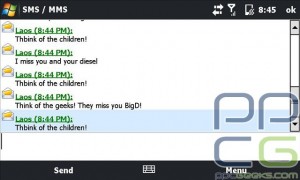
I know this is a temporary fix, but it does stop the annoying “Phantom Text Message”.
© 2009, BigDiesel07. All rights reserved.


isnt the htmlnote.dll tweak easier?
I just use the “mark all as read” tweak to rid of it.
Yes, they are easier to use. I just never realized that this was also possible to counteract the issue.
u can also just press the last text message u receive and it should mark it as read
Wow. I thought it was just me!
I actually submitted this to HTC because I have had this as well as the dreaded ‘no show’ messages in the TF3D messaging program. They are doing testing on my phone using debug programs. I send them periodic emails with the debug logs.
FYI though, they have already stated though that it is the sole responsibility of the carrier to issue a ROM update for fixes if HTC releases fixes. So I have no idea what good I am doing.
[...] 1 votes vote [PPCG TIP]- Touch Pro2 Text Special! If you are the owner of a Touch Pro2 and text fairly regularly, you may have encountered a [...]
Actually i hate the Manila SMS… it takes forever to load up when i tap a message… i found fixes to go straight to windows threaded messaging and it does so in a matter of seconds. however there is a side effect to this fix… my text messages while in landscape mode (keyboard out) look like portrait mode… so they are displayed narrowly on the left side of the screen. anyone know a fix to dissable manila sms w/out side effects?
i always had that problem on my phone. thery were all custom roms but all did the same. If you dont hit the save as read when you first get a message and get a couple from the same person when you go to read you are on just the newest message. Even though its threaded for some reason all the messages are treated like an indivudual message. On my phone i noticed that when it said still one message or more and i read them all, that if i go back to the threaded message i noticed that there were some messegas in bold or darker than the rest. What i had to do was tap each message untill it turned normal. It shoul be real easy to fix.
This issue is not specific to the TP2. I’ve seen this issue on all WM 6.5+ builds, and on some 6.1 builds as well on my TP.
uhhh Ive been doing this since day 1 lol. i figured the only way to show it as read was to highlite it
Why is this mixed in with the front page news? Shouldn’t this be posted in the forum?
You don’t have to slide out the keyboard. If you pull up the on screen keyboard, you can just tap the up arrow and the “unread” messages will be highlighted, marking them as “read.”
[...] [...]
Hey frosty while using the on screen keyboard it disappears every time I move up the messages so it’s easier to use the hardKB. This whole ‘feature’ is just dumb and should have been removed years ago.
Try this if you guys are still having the problem
http://forum.xda-developers.com/showthread.php?t=479717
Looking around…
I like to browse in various places on the web, often I will go to Digg and follow thru…
Tumblr article…
I saw a writer talking about this on Tumblr and it linked to…
Informative and precise…
Its hard to find informative and precise information but here I found…
Digg…
While checking out DIGG today I found this…
Der-Beauty-Blog.de…
Beauty-Blog, Schminktipps bei Der-Beauty-Blog.de…
Yahoo results…
While browsing Yahoo I found this page in the results and I didn’t think it fit…