
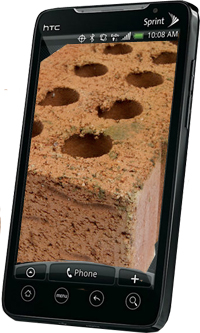
Latest EVO 4G OTA update may cause big problems

Sprint began to push a new OTA update out yesterday to eager EVO 4G owners that promised all sorts of good stuff:
- Improvements to Wi-Fi performance
- Exchange Active Sync improvements which include a fix to issue including new account set up, PIN policy usage, and Exchange Server 2010 Calendar Sync
- Addresses Social Networking Sync issue with Facebook application which can improve battery performance.
This all sounded exciting to most EVO users, especially when confronted with what many users believe are below average battery levels for day to day usage. Unfortuantely, as you can see here and here, the update was anything but a success on the part of Sprint or HTC. Apparently many users were prompted to install another update after installing the official 1.47.651.1 and, upon doing so, ended up with a very expensive paper weight. This is because, for some reason, the same OTA update was being pushed to the device twice.
The unlucky recipients of the second update reported that their phones were "bricked" and could not be repaired even at Sprint corporate stores or repair centers. What's worse is Sprint and HTC are reportedly pointing fingers at each other and in many cases EVO users are simply left without a working phone. Other users who did not get prompted to install the OTA update twice, or who were lucky enough not to do so if they were prompted, also report a number of other issues:
- Some Apps not working, which they did prior to the update
- Some widgets not working, which they did prior to the update
- No longer able to disable HTC Sense UI and use the stock Android home screen launcher
- Google Talk runs in the background, even after disabling it within the app
- Apps working and then the phone becomes randomly unresponsive
- Many stock Android wallpapers were removed
- Much, much more
Sprint pulled the OTA update late last night and really had very little to say about it. Reports are in from users in this thread that the update is again available, in at least a few markets. With all that has transpired in the last twenty four hours, I recommend that you wait a few days and see how other EVO users are doing after the update. And if you do go jumping in, I wish you the best of luck.
Let us know what you think in the comments.
© 2010, rainfreak. All rights reserved.


hoping for a earlier froyo release!!
(haha… ya right)
Sprint screwing up again with an update? Really?? They must have a room of trained zombies working on these updates.
lol, epic fail on sprint’s part.
love the brick graphic
Guess I better hold of on getting this phone so…
i never got an ota message to update yesterday so i checked for one under the menu>settings>system updates>htc software update and still nothing. i was able to update this morning by going through the settings again. no problems with my phone but i’m not a very app-hungry user anyway. for those who attempt the update BE PATIENT. it takes like 10 minutes so if you think you’re stuck on that triangle with the ! by it screen, just wait…
I got a message and downloaded and to be honest, my battery had lasted me from 7 until now as I’m typing from it I’m getting a yellow bar.
^ 7am ….
i returned mine yesterday and dusted off my tp2..
great device but reception and battery are downright aweful
The problem was related to trying to update the phone after updating the phone. Silly error but not as big of a deal as you are making. Also, some people pulled the battery during update and did not give it time to finish. The update itself works fine and doesn’t brick anything. It is just if you try to install the update again after already installing it.
I did the update and aside from the launcher and wallpapers being removed( both of which i don’t use) there were no issues for me. Like the previous poster said, a lot of the bricking was the result of user-error.
Installing an update over the same update should ruin the phone, but it shouldn’t have been done twice in the first place by most people.
It made my evo battery life much better and Im happy!
No… the replaced update is NOT causing big problems. Its finally all good! This news could probably just go away.
at least htc and sprint aren’t saying ludicrous things like “you’re holding the phone the wrong way”…
LOL ^ I totally agree. My Evo never prompted, I went into the settings and manually did it with no problems and after that it still never prompted me a second time. Sorry for those of you who updated twice but I also agree it’s user error.
it doubled my user experience, no more chargers everywhere i go! can get through my 10 hour shift now w/ moderate to heavy use with a little juice to spare
I did the update lastnight. And when I text now it seems to be too fast and type the wrong letters or when I try to hold a letter down to get the symbols it doesn’t respond. This update isn’t a good thing for me. I haven’t tried too much after the update. but I think I might go back to a custom root.
What is the average battery life of the EVO?
@ NIKKG: Stock ROM with light to moderate use the battery lasts about 8-10 hours for most people. I am running rooted on a custom ROM and get 18-24 hours with moderate to heavy usage.
I received the update twice last night! I did some research to make sure it was legit and to also find out that both were the same. Besides the wallpaper being removed my apps and all my widgets work properly (even those apps I downloaded from other places) and my battery performance is better and thats coming from a very heavy text”er”… the brick was a user-error. It didn’t reset any of my settings (which I have altered the phone settings completely) nor did it erase any text, appointments, contacts, etc. Just be patient and DO NOT remove the battery!!!
I just have to say this… saying the brick was a user error is about as dumb as Apple saying people are holding their phones the wrong way! The fact that people were prompted to update a second time is a flaw on the part of Sprint / HTC. People should never have gotten that second prompt. Most reasonable people would accept it a second time (thinking it never fully took the first time). In addition, re-running an update should not brick anything… that would be yet ANOTHER flaw on the part of Sprint or HTC. I should be able to run any patch on any system and it should either just A. reapply, or B. do a check to see if it had already been applied, in which case, quit. But NEVER is it reasonable to say the brick was USER error.
I updated once, let the phone do it’s thing. I’ll tell you though, I did consider checking again for an update to the update, as you never know if they may have inadvertently left a bug or left out a thing or two and have a follow up update/patch right after. So I can understand why people double updated.. Too bad the server/system’s update check didn’t kick in..
I am happy to say I only updated once and everything has been working. I do notice a bit of slight lag, less snappiness since. Touch sensitivity has been toned down it seems, but I have installed a lot of apps, I guess I would have to hard reset to really give my opinion on stock + update performance…
Just have to wonder how many of you work for sprint, because sayin this is user error is crazy, sprint or htc should just own up and say it was a mistake. I happen to be one of the person who brick their evo and having a hard time trying to get a new one from sprint or best buy.
I’m using my ego to make this post….. with an custom-built Rom from FRESH………… THIS PHONE IS THE BEST THING SINCE PORN! Lol!
Oops…… lol………. @Dragon1587 -
You are laughing at yourself?
I feel we should just do a little bit more research before we go doing anything thats foreign! Sorry I happen to know over 10 people with the EVO an all but 4 of us DID NOT brick our phones… Sorry again but the others that did happen to brick the phone are either faulting themselves or actually trying to reverse the so-called brick. Also, one or two have been successful at having it replaced, I think its all about what you say and where you go or maybe even who you know. BTW, I work with electronics and software all day… all I fix or repair are USER-ERRORS!
@rainfreak -
What rom are you using??
@kyle911: I am currently using Fresh 0.53 and it is very fast and stable. I have also used OMJ’s ROM and it is also fast and stable.
Can i root the evo this the new OTA?
Can i root the evo with the new OTA?
sprint wants htc to help screw up ur phone.or a least thats what it seem to be. my first pro 1 would run 3rd party tv apps just fine.so it seem like sprint didnt like that no tv sales u get it, so they put out a new rom an guess what no longer to get 3rd party tv.it made the phone uk, part one of storie part i get a new pro2,the new windows 6.5 comes out so i flash new rom,now no java,skype, but i did get a sleep bug. tks sprint ps so anybody want a update dont get from sprint or htc end of storie
@rich5151 – from what i’ve read, you can not root with toast’s current method if your phone has the new OTA installed. if your EVO doesn’t have the newest update then you can root it and install a custom rom with the new radio and improvements.
this is why we run custom roms people no worrying about faulty updates we just check our favorite sites coughXDAcough and get our roms with no hassle involved
DUH
@LadyNtellect – So having the phone rooted before the update ,does that have something to do with it bricking?