So, you want Android? On your GSM Touch Pro/Fuze? With Working Data?
Dated: November 6th, 2009 Posted By: MordyT
6 Comments
| So with all the buzz about Droid, I have really started wanting one. Or at least a phone with Android OS and a physical keyboard. But I don’t have Verizon… Not to worry, XDA-Developers came to the rescue!
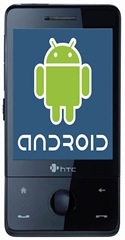
Introducing Android on the Touch Pro! “What’s different than the android package that has been around for a while,” now you ask? Aside from working data, not too much. They still haven’t fixed several bugs such as the inability to charge while in Android, but the working data is a BIG improvement! Grab the files from Here |
Tags: Android, Data Working, Touch Pro
6 Responses to “So, you want Android? On your GSM Touch Pro/Fuze? With Working Data?”
Leave a Reply
You must be logged in to post a comment.


November 6th, 2009 at 9:42 am
Maybe you should clarify that this applies to GSM phones only. There is still no voice/data support on CDMA Touch Pros.
November 6th, 2009 at 9:45 am
[...] 1 votes vote So, you want Android? On your Touch Pro? With Working Data? So with all the buzz about Droid, I have really started to want one. Or a phone with Android and [...]
November 6th, 2009 at 10:32 am
Also if you have a touch you can use it in the android OS. It works with data, sms, calls and is very smooth and responsive. Hope you all enjoy, currently on a Hero right now making new themes for it.
November 6th, 2009 at 11:10 am
I just loaded it up on my Fuze, and its pretty smooth. There are a few little quirks, especially since Android doesn’t recognize/use all the same buttons at WM.
November 6th, 2009 at 11:32 am
It was noellenchris of XDA who took an existing port and tuned it up for the Fuze, I just added the AT&T access point and put it on my server.
List quirks please. I wrote half of that fuzemobility thing and am hosting the file but i don’t have a Fuze to test it on. I’d like to know what to caution people about.
Specifically, does data work on the first boot? Does anything not work on the first boot that suddenly works after a couple boots (I read that on xda)? Is this actually usable enough that you’d consider using it more than just for a half hour experiment?
Doug Simmons
November 6th, 2009 at 2:48 pm
@d0ugie – I will test it more, I only ran it for about 10 minutes.
As already mentioned, there’s not a Fuze keyboard map, so the Fn buttons don’t work.
Some other button mappings are either missing or I don’t know what I’m doing. When the device locked it said to press the Menu key to unlock. I pressed every button and nothing unlocked it. If I slid out the keyboard it would unlock it though.
The Home button doesn’t bring you home, you have to use the back arrow button. Also the power button doesn’t do anything. If the device goes to sleep you can press the back arrow button to wake it up.
Data worked for me on first boot. I also tested incoming/outgoing calls and that worked.
I read where SMS doesn’t work, but I didn’t test that yet. I also didn’t test BT, WiFi, or GPS.
I also read where the accelerometer doesn’t work.
